
Poshan Calculator
Poshan Calculator
👩🦰
Girl
👨🦱
Boy
Gender:
Date of Birth:
Height: cm
Weight: kg
Age (months):
BMI:
BMI Category:
Stunting:
Underweight:
Wasting:
Gender:
Date of Birth:
Height: cm
Weight: kg
Age (months):
BMI:
BMI Category:
Stunting:
Underweight:
Wasting:
Poshan Calculator & Growth Monitoring Tools
India's battle against malnutrition cannot be won on awareness alone. Accurate tracking is what actually moves the needle and that is exactly where the Poshan Calculator comes in.
This tool was built for Anganwadi workers, parents and healthcare staff who need a reliable and straightforward way to monitor child growth. You enter a few basic details like gender, date of birth, height and weight and the calculator instantly tells you where a child stands on stunting, underweight and wasting using real WHO z-score standards.
Why does any of this matter? Because catching a problem early is the difference between a child recovering fully and a child falling through the cracks. Whether you are an Anganwadi worker completing monthly reports or a parent who simply wants to understand how their child is growing this tool gives you clear colour coded results that anyone can read and act on without needing a medical background.
What is the Poshan Calculator?
The Poshan Calculator is a digital tool that takes the complexity out of child growth monitoring. Instead of flipping through WHO growth charts manually and trying to make sense of the numbers yourself the calculator does that work for you. Enter the child's age, height and weight and it tells you straight away whether growth is on track or not.
It works equally well for a parent checking in on a toddler at home and a field worker collecting data across an entire community. The results are colour coded and easy to read so there is no confusion about what the numbers mean or what needs to happen next. Built on international growth standards it is a tool that works in both personal and professional settings without needing any technical knowledge to use it.
How It Works:
Just follow these easy steps:
- 🧒 Enter the child’s age and gender
- Use dropdowns to quickly select accurate values.
- 📏 Add height and weight
- Use the sliders or type manually—both work!
- 📊 Click “Show Results”
- The tool instantly processes the data using WHO z-scores.
- 🎯 Review the output
- Color-coded results clearly indicate if the child is healthy, at risk, or needs attention.
Key Features of the Poshan Calculator
WHO-Standard Based
Follows globally recognized child growth indicators.
Instant Feedback
No more waiting—get classification results in real time.
Color-Based Alerts
Red, yellow, and green colors show health status at a glance.
Mobile & Desktop Friendly
Works smoothly across devices and screen sizes.
Clean & Minimal Interface
Designed for ease, even for users with no medical background.
Supports Repeat Assessments
Use anytime to compare previous and current growth status.
Growth Parameters Used
| Parameter | Measured By | What It Means |
|---|---|---|
| Stunting | Height-for-Age (HFA) | Low height compared to age → possible chronic malnutrition |
| Underweight | Weight-for-Age (WFA) | Low weight relative to age → general undernutrition |
| Wasting | BMI-for-Age (BFA) | Low BMI compared to age → recent or severe weight loss |
These parameters are calculated using WHO z-score reference data, ensuring accurate results.
Who Should Use It?
How the Poshan Calculator Works
The Poshan Calculator functions by taking basic information age, gender, height, and weight and comparing it with globally recognized WHO child growth standards. It doesn’t make assumptions or generalizations. Instead, it uses precise data ranges and z-score logic to assess a child’s growth.
After the user inputs the child’s details, the calculator instantly evaluates three key growth indicators:
- Height-for-age (HFA) → Assesses stunting
- Weight-for-age (WFA) → Assesses underweight
- BMI-for-age (BFA) → Assesses wasting
These scores are then categorized using clear, color coded results:
- 🟢 Green → Healthy
- 🟡 Yellow → Needs observation
- 🔴 Red → At risk or critical
All results are displayed instantly no charts to interpret, no manual calculations. The tool’s interface is designed for simplicity, making it easy for anyone, regardless of medical background, to understand the results at a glance.
Sample Calculation (Real-Life Example)
To understand how the Poshan Calculator 2026 works, let’s look at a simple real life example. This makes it easier for parents, caregivers, and Anganwadi workers in India to see how a child’s growth details are entered and checked using the tool.
Example child profile:
Name: Aarav
Age: 1 month
Gender: Male
Height: 52 cm
Weight: 4.3 kg
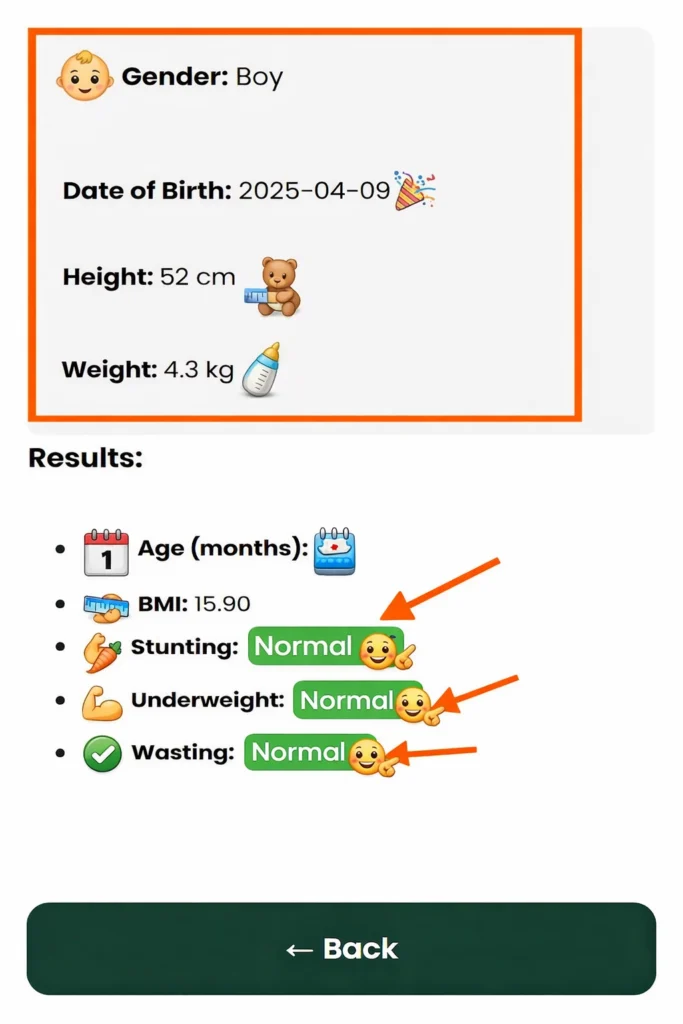
When you put all the details into the Poshan Calculator tool it looks at how the child's growing based on how old they are and whether they are a boy or a girl. The Poshan Calculator 2026 checks things like weight-for-age and height-for-age and BMI-, for-age for the child. This gives you an idea if the child is growing like they should be or if you need to pay closer attention to the childs growth.
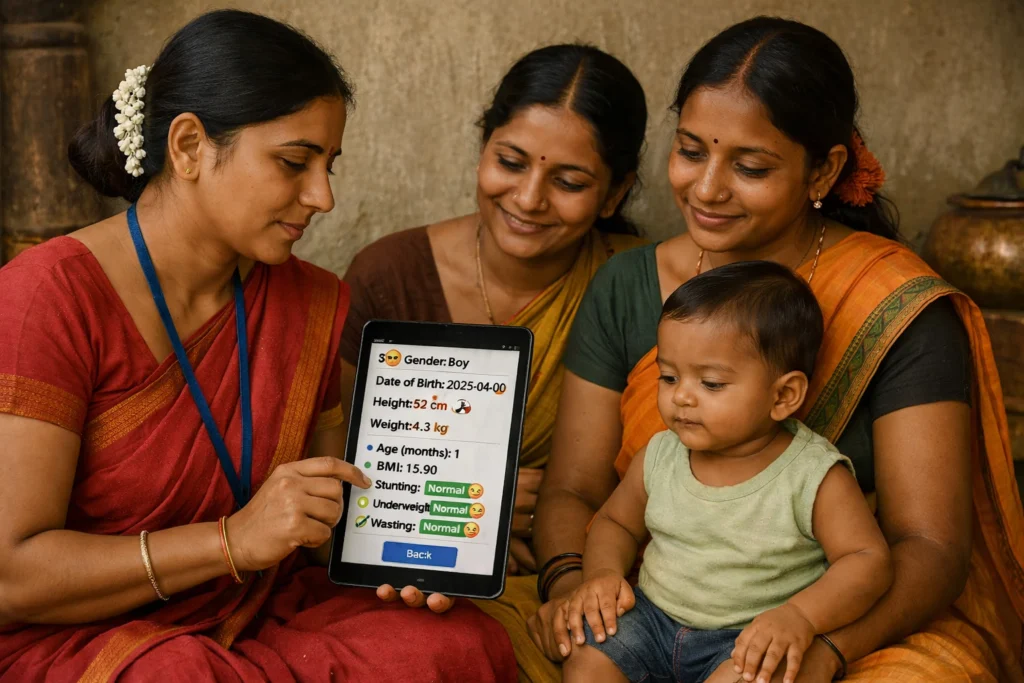
Aaravs mother puts all the details into the Poshan Calculator. The Poshan Calculator looks at all the information. Then shows how the child is growing in a way that is easy to understand. The Poshan Calculator does this quickly.
🟢 Stunting: Normal: Aarav’s height is within the healthy range for his age, which means there are no signs of stunted growth.
🟢 Underweight: Normal: His weight-for-age falls within the recommended range, showing healthy weight development.
🟢 Wasting: Normal: His weight-for-height is also normal, which indicates balanced growth and no signs of acute malnutrition.
In just one click, Aarav’s mother gets a clear picture of his nutrition status and understands that he may need better nutrition support along with a follow-up from a health worker. The Poshan Calculator does more than show numbers. It gives a practical signal that helps parents and caregivers know what step to take next based on WHO growth standards.
This instant clarity is what makes the Poshan Calculator so useful, especially in rural areas and low-resource settings across India. It turns child growth data into simple, actionable guidance that can support early intervention, better nutrition tracking, and timely care.
Benefits of Using a Growth Monitoring Tool
Monitoring a child’s growth is not only about recording height and weight. It is about identifying warning signs early and making sure every child gets the care, nutrition, and support needed for healthy development. This is why tools like the Poshan Calculator are so useful. They help parents, caregivers, and health workers understand a child’s growth status quickly and take the right action at the right time.
Early Detection Saves Lives:
Growth delays are often one of the earliest signs that a child may be facing nutrition or health problems. Identifying these signs early gives parents, caregivers, and health workers a better chance to take timely action before the condition becomes more serious.
Reduces Human Error:
Manual growth tracking with paper charts can take time and often leads to errors. A digital tool like the Poshan Calculator makes the process faster and easier by giving instant and accurate classifications without confusion or guesswork.
Encourages Better Nutrition Planning:
With regular use of the Poshan Calculator, parents can notice important growth patterns over time, such as repeated underweight results. This helps them make timely changes to the child’s diet, nutrition, and overall health plan based on the child’s actual growth progress.
Builds Community Health Awareness:
When used by Anganwadi workers, the Poshan Calculator helps start meaningful conversations with parents, builds confidence in growth monitoring, and improves health education at the community level.
Accessible and Easy:
No internet connection? The Poshan Calculator can still be used offline, making it practical for real world use. It is designed to support everyone, from mothers in rural areas to Anganwadi workers and field officers who need quick and simple growth checks during busy schedules.
In short, the Poshan Calculator makes child nutrition tracking faster, simpler, and more dependable, even for users with no technical background.
Poshan Calculator vs Traditional Growth Charts
For years, traditional growth charts have been widely used to monitor child development. They have played an important role in tracking a child’s height, weight, and overall growth. But in practice, they are not always easy for parents, caregivers, or field workers to read and use correctly. That is where the Poshan Calculator offers a better approach. It simplifies growth assessment by turning child data into clear digital results that are faster to understand and easier to act on.
To make the difference easier to understand, here is a quick comparison between traditional growth charts and the Poshan Calculator.
| Feature | Poshan Calculator | Traditional Growth Charts |
|---|---|---|
| 🕒 Speed | Instant calculation after input | Manual plotting and interpretation |
| 🎯 Accuracy | Auto-calculates using WHO z-score logic | Prone to human error during plotting |
| 📱 Accessibility | Mobile & desktop friendly, usable on-the-go | Only available in printed or PDF format |
| 🎨 Visual Clarity | Color-coded results for quick decisions | Raw data needs expert-level reading |
| 👨👩👧 Ease of Use | Simple enough for parents and community workers | Requires some health training to understand |
In short, the Poshan Calculator brings a modern and more practical approach to child growth tracking. It does not replace traditional growth charts completely, but it makes growth monitoring easier to understand and use for everyone, not just doctors or medical professionals.
How This Tool Aligns with India’s Poshan Abhiyaan
India’s Poshan Abhiyaan, also known as the National Nutrition Mission, aims to reduce malnutrition by making nutrition services more technology driven, community-based, and easier to measure. The Poshan Calculator supports this goal by helping parents, caregivers, and frontline workers assess child growth in a simple, practical, and data-based way.
Here is how the Poshan Calculator supports that mission:
Supports Digital Tracking:
Instead of relying on handwritten registers, the Poshan Calculator supports digital growth records that are easier to manage, update, and review. This makes it especially useful for states that are moving toward paperless Anganwadi systems and more efficient child nutrition tracking.
Empowers Grassroots Workers:
ASHA and Anganwadi workers can use the Poshan Calculator during home visits and village camps without needing technical skills or complicated training.
Enhances Data Quality:
Each entry in the Poshan Calculator follows a standardized and structured format. This makes data collection more consistent and supports better monitoring, reporting, and centralized record management through Poshan Tracker dashboards.
Encourages Behavior Change:
When caregivers see color coded alerts such as red or yellow, they are more likely to understand the seriousness of the result and take nutrition advice more seriously. This improves awareness, supports quicker action, and strengthens the core message of better child nutrition under the Poshan Abhiyaan.
Why This Tool Matters for Anganwadi Workers
Anganwadi workers play a central role in India’s child nutrition system. But in reality, they often manage many responsibilities with limited time and limited resources. The Poshan Calculator is designed to reduce that burden and help them monitor child growth more easily, quickly, and effectively.
Improves Communication with Parents
When a mother sees a red or yellow result, she’s more likely to act. The tool becomes a conversation starter for better health practices.
Saves Time in Field Visits
With instant results, workers can cover more children in less time especially during Poshan Maah drives or health camps.
Easy to Train and Use
Even with basic smartphone literacy, workers
can learn to use the calculator in under 5 minutes.
Builds Trust in the Community
When tools look modern and give consistent results, families start to trust the system more a major win for outreach.
Simplifies Workload
No need to flip through bulky WHO charts or manuals. Just input, click, and get results.
At its core, the Poshan Calculator is more than a digital tool. It acts as a practical field support system that helps Anganwadi workers focus on what matters most: caring for children and supporting healthy growth in the next generation.
Common Mistakes to Avoid While Using the Calculator
The Poshan Calculator is made to be simple and easy to use, but even small mistakes in the entered details can produce incorrect or misleading results. That is why it is important to enter every measurement carefully and review the information before checking the final growth status. Here are some common mistakes to watch out for:
Measuring Height Incorrectly:
Make sure the child’s height is measured correctly. The child should stand barefoot on a flat, hard surface with the body straight and heels properly placed. Shoes, soft flooring, or poor posture can lead to inaccurate height readings.
Guessing the Weight:
Do not guess a child’s weight. Always measure it using a reliable digital scale or a spring scale to ensure an accurate result.
Mixing Units (cm/inch or kg/lbs):
Use only centimeters and kilograms. The calculator is designed for metric units, and using inches or pounds can lead to incorrect BMI results.
Ignoring Color Codes:
A yellow or red result is not just a suggestion, it is a clear warning. Do not ignore it or move on without taking proper action.
Even small mistakes can cause wrong results, so always review your inputs carefully before clicking the Show Results button.