Poshan Tracker Login Help & Troubleshooting Guide 2026
If you are using the Poshan tracker app as an Anganwadi worker, supervisor, or even as a mother checking service details, the login process can sometimes feel frustrating. Many users face issues like OTP not arriving, the login page getting stuck, or the app not accepting a mobile number even when everything looks correct.
If you are dealing with these problems, you are not alone. Such issues are quite common, especially in areas with weak internet signals, dual SIM usage, or older Android devices. The Poshan tracker app depends heavily on network stability and device compatibility, which is why these errors can occur.
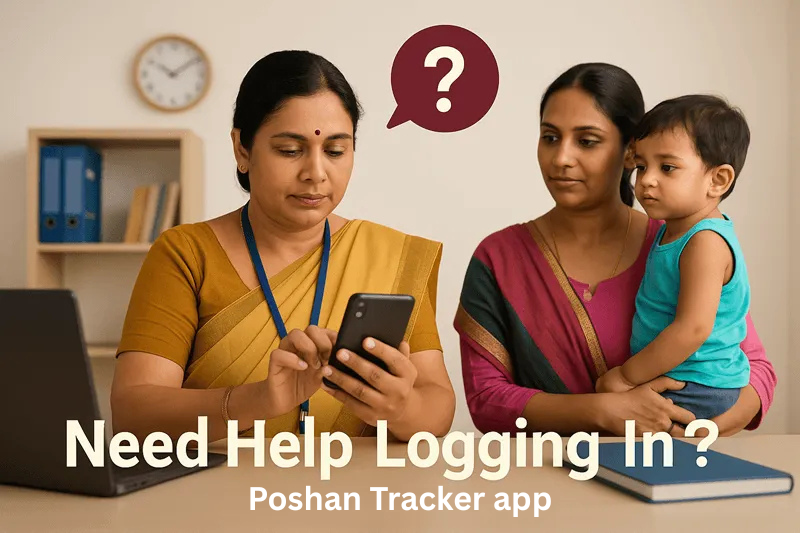
This guide will help you understand the real reasons behind these login problems and show you simple step by step solutions to fix them. It also explains what you can do if the issue still does not get resolved so you can access the app without hassle.
Why You Might Be Unable to Login
Even if you are using the correct number and following all the steps, the Poshan tracker app may still not let you log in. Sometimes it happens due to a small setting you might have missed. In other cases, the issue could be from the server side, which is completely out of your control.
Users of the Poshan tracker app often face these login problems, especially when the internet connection is unstable or the app is not working properly.
Here are some of the most common reasons behind login issues:
- OTP not received, or it arrives too late
- Login stuck on “Verifying…” screen
- Invalid mobile number even though it’s correct
- App crashes right after launching
- Error messages like “Something went wrong” or “Already logged in from another device”
Sometimes the issue is not with the Poshan tracker app at all, but with your phone settings, SIM card, or weak network signal. These problems can be confusing because they often do not show any clear error message, making it harder to understand what is going wrong.
That is why it is important to look beyond the app itself. In the next sections, you will find simple and practical fixes that actually work in real situations, helping you solve login problems quickly and access the Poshan tracker app without stress.
Quick Fixes for Poshan that Actually Work
I’ve guided many users to resolve login issues in under five minutes using simple and effective steps that consistently work:
Clear Browser Cache
Browsers save data to load websites faster, but old cache and cookies can sometimes cause issues with Poshan Tracker login. Clearing your browser cache and cookies, then restarting the browser, often fixes the problem quickly and helps you log in without trouble.
Use Supported Devices and Browsers
Using Google Chrome on Android or Windows usually provides the best login experience. Older tablets, especially those more than three years old, may not support the latest updates, which can cause issues.
Check Network Connection
A stable internet connection is important for logging in. If your mobile data is inconsistent, try switching to a reliable Wi-Fi network or a different mobile network. Sometimes even a short move to a spot with better signal make the login succeed.
Reset Credentials
If other methods don’t work, request a password reset. Poshan Tracker will send a secure link to your registered email or mobile number. Always update your credentials carefully and avoid writing passwords down.
Advanced Troubleshooting for Persistent Login Help
Some issues go beyond simple fixes. Here’s what field officers should know:
Two-Factor Authentication Errors:
Poshan Tracker may ask for a one-time password (OTP) during login. If it doesn’t arrive quickly, check that your registered mobile number is correct. Delays are often caused by network congestion or your carrier. Wait at least 3–5 minutes before requesting a new OTP.
Browser Extensions and Pop-Up Blockers:
Browser extensions such as ad blockers or privacy tools can sometimes block login scripts. Temporarily disabling these extensions can help you access Poshan Tracker without issues.
Check System Time and Date:
An incorrect system clock can cause security certificate errors. Make sure your device’s date and time are accurate, ideally synced automatically with your network provider.
Why Solving Login help Issues Matters
It is not only about convenience. It directly affects children’s health tracking. Each failed login delays data entry and slows nutrition monitoring. When an Anganwadi worker cannot record daily feeding data, important updates are missed. Local health officials may fail to detect early signs of malnutrition. In one district, login issues caused a 48-hour delay in reporting severe cases. Such delays can put a child’s health at serious risk.
Features of Poshan Tracker That Help Users
Although logging into Poshan Tracker can sometimes be frustrating, the platform offers features that simplify nutrition monitoring and tracking.
Real-Time Growth Monitoring:
After logging in, supervisors can monitor child growth metrics such as weight, height, and mid-upper arm circumference in real time. The system provides alerts if a child shows signs of undernutrition or potential risk.
Daily Feeding Records:
Workers can log meals served to children in Anganwadis, ensuring dietary compliance. This reduces manual paperwork and errors.
Reports for Policy Decisions:
District officials can extract reports instantly. These reports guide resource allocation, policy updates, and emergency interventions.
Multi-User Management:
Admins can create accounts for multiple users and assign roles, which helps track accountability and access. This is where understanding your poshan tracker user role becomes critical. A field worker needs different privileges than a district supervisor.
Tips for Poshan Tracker Users
Here is some advice I have shared with many users to reduce login issues:
- Update your password regularly and store it in a secure password manager.
- Use supported browsers and keep them updated at all times.
- Log in at least once a week to keep your account active and avoid lockouts.
- Report repeated login problems to the IT helpdesk without delay.
Administrative Use Beyond Child Records
Many people think Poshan Tracker only tracks children, but that is not correct. It also works as a management tool for supervisors:
- Monitor staff attendance.
- Verify feeding schedules.
- Audit the inventory of nutritional supplements.
- Generate compliance reports for state health departments.
Understanding these features helps improve proper usage, reduce extra work, and ensure better reporting accuracy.
Comparing Nutrition Tracking With Portion Tracking Apps
Some field workers try to replace Poshan Tracker with generic nutrition apps, especially in remote areas. They may use mobile spreadsheets or calorie tracking tools, but this creates problems:
- No integration with government reporting systems.
- No real-time alerts for malnutrition cases.
- No support for local diets or government feeding schemes.
Poshan Tracker is not just a simple logging tool. It connects field data with state and national nutrition programs. Using external apps may seem faster, but it can reduce reporting accuracy.

Case Study: Solving Login Challenges in Rural Maharashtra
A small district in Maharashtra faced ongoing login issues, especially during peak hours. Workers often saw repeated error messages. The solution involved three key steps:
- Device upgrade by replacing outdated tablets with modern Android devices.
- Network optimization through improved 4G coverage in Anganwadi centers.
- Training sessions on clearing cache, resetting passwords, and handling OTP issues.
Within a week, login problems dropped by 80%, and daily child data was updated more consistently.
Final Thoughts
Login issues with Poshan Tracker can be frustrating, but they can be resolved with the right approach. Identifying the cause, whether it is login credentials, device compatibility, or network problems, is the first step. Once these issues are fixed, the system becomes very useful for tracking child nutrition, managing records, and supporting public health efforts. Every Poshan Tracker user who understands these solutions plays an important role in improving child nutrition. Addressing login problems quickly helps ensure that every child’s growth is recorded accurately.