Common Poshan Tracker Errors (2026)
Facing Poshan Tracker Errors? You’re Not Alone!
Thousands of Anganwadi Workers, Supervisors, and ICDS staff across India often experience the following Poshan Tracker issues:
👉 Login Failures – Struggling to access your account?
👉 Sync Delays – Data not syncing in real-time?
👉 “No Data Found” Errors – Missing information in the dashboard?
👉 OTP Issues – Trouble receiving or entering OTPs?
👉 Dashboard Glitches – Facing issues with the dashboard’s functionality?
But here’s the truth:
🔍 Most errors aren’t technical bugs.
They’re typically related to permissions, sync issues, role-mapping problems, or device-related challenges.
This guide will walk you through the common reasons behind these Poshan Tracker 2026 errors and provide simple solutions to fix them quickly – without the stress!
Why Poshan Tracker Errors Actually Happen
The Poshan Tracker app, which connects directly to centralized servers run by the National eGovernance Division, is an essential component of the Poshan Abhiyaan initiative.
It has a number of essential components that make it dependable:
👉 Role-Based Access Control: This guarantees that certain features are only accessible by authorized users according to their role.
👉 Real-Time Server Sync: As your data continuously synchronizes with the servers, it remains current.
👉 GPS Validation: Provides precise location information for appropriate tracking.
👉 Device-Based Login Mapping: To improve security, the system associates your login information with a particular device.
Because of how these systems interact, even minor problems may result in obvious mistakes that affect the user experience.
Let’s examine these issues and their potential impact on you.
Poshan Tracker Errors (“Invalid User ID or Password”)
- Expired password
- Role mismatch (AWW vs Supervisor)
- Account inactive due to long inactivity
- Wrong device login
- Backend role reassignment
How to Fix:
- Double-check role selection
- Reset password via official option
- Contact Block DEO if account inactive
- Avoid multiple wrong attempts (can trigger temporary lock)
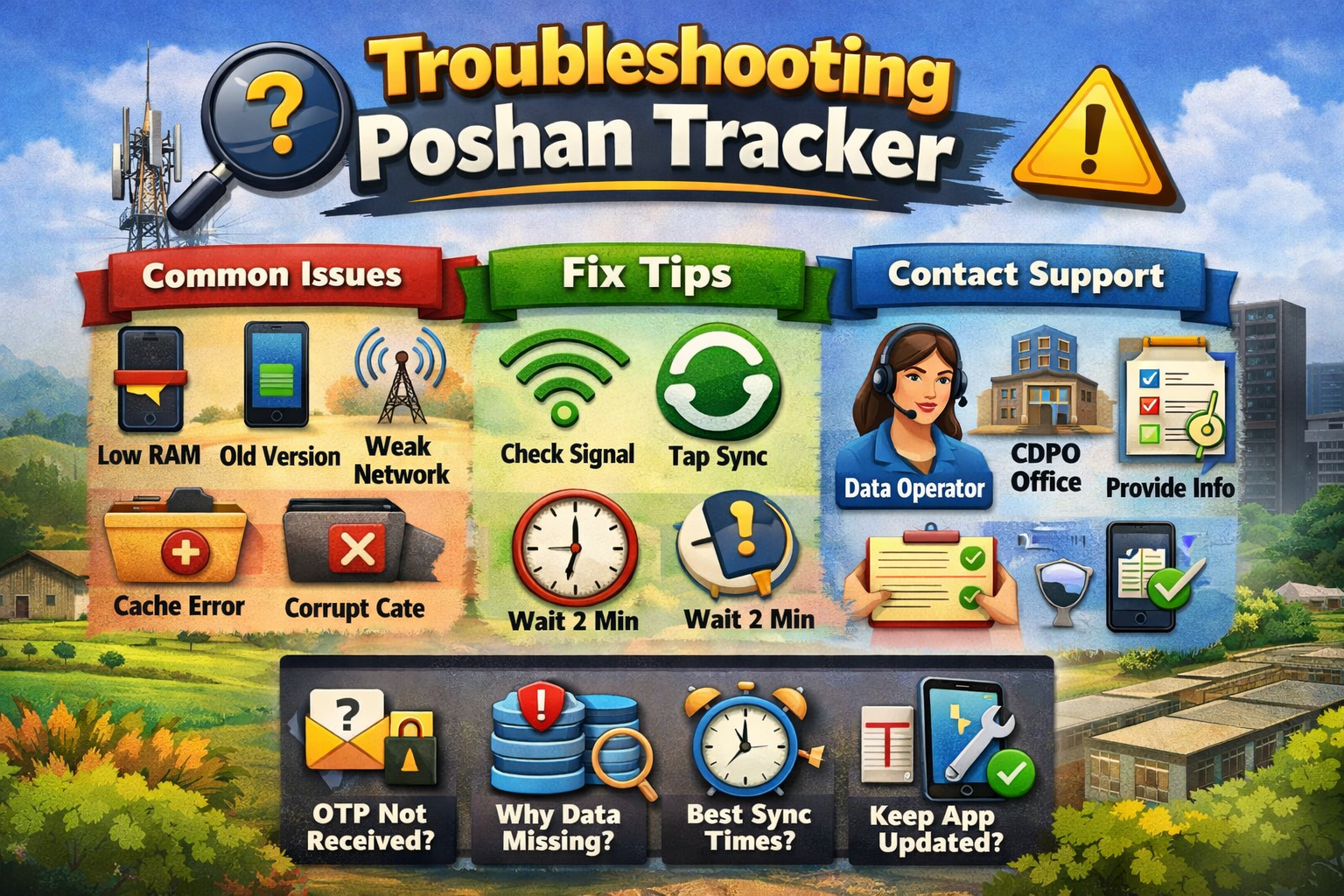
App Crashing or Freezing
Most of the time, these issues are device related, not app related.
Some common reasons include:
👉 Low RAM (below 2GB)
👉 Outdated Android version
👉 Heavy background apps running
👉 Corrupt cache files
Fix Checklist:
- Restart device
- Clear cache (NOT data)
- Update from Google Play Store
- Free up 300MB storage
If still you face this issue then reinstall this version.
“No Data Found” After Sync
This is one of the most misunderstood errors.
What It Actually Means:
Your data might:
👉 Be stuck in the local cache
👉 Not upload fully due to a weak network
👉 Be waiting for backend approval
👉 Be delayed because of server load
What NOT To Do:
❌ Do not re-enter duplicate beneficiary
❌ Do not create a second profile
What To Do:
✅ Check your internet stability
✅ Tap the manual sync button
✅ Wait 30–60 minutes during peak hours
✅ Try syncing before 9 AM or after 2 PM
OTP Not Received:
Causes:
- Poor signal
- SMS permission disabled
- Multiple OTP requests
- SIM temporarily blocked
Fix:
✅ Enable SMS permission
✅ Clear messaging inbox
✅ Wait 2 minutes before retrying
✅ Ensure the registered mobile number is active
Beneficiary Data Not Showing
This usually happens due to:
- Wrong sector mapping
- Role visibility restriction
- Backend sync pending
Fix:
✅ Contact supervisor to verify mapping.
Understanding Server Load (Why Timing Matters)
Poshan Tracker servers experience peak usage during:
- 9 AM – 12 PM
- 12 PM – 2 PM
During this time:
🕒 Sync slows
🕒 Dashboard may appear blank
🕒 Data updates may be delayed
Best practice:
✅ Sync early in the morning
✅ Sync after 2 PM
✅ Use stable Wi-Fi when possible
How to Use Poshan Tracker Smoothly (Expert Tips)
Here are habits used by experienced field workers:
✅ Always Sync Immediately After Entry
Avoid local cache overload.
✅ Keep App Updated
Old versions cause 60% of reported issues.
✅ Enable High Accuracy Location Mode
The app validates field visit authenticity.
✅ Don’t Share Login Credentials
Multiple device logins can trigger backend conflicts.
✅ Use Only Department-Approved Devices
Unofficial phones may cause mapping errors.
When It’s Not Your Fault
Sometimes errors happen due to:
- Scheduled maintenance
- Backend update rollout
- State-level data migration
- Central server refresh
In such cases:
🕒 Wait
🕒 Check district WhatsApp circular
🕒 Avoid duplicate data entry
When to Escalate the Poshan Tracker Errors
Contact:
• Block-level Data Entry Operator
• CDPO Office
• District Poshan Technical Coordinator
Provide:
• User ID
• Error screenshot
• Date & time of issue
• Device model
This helps speed up the resolution process.